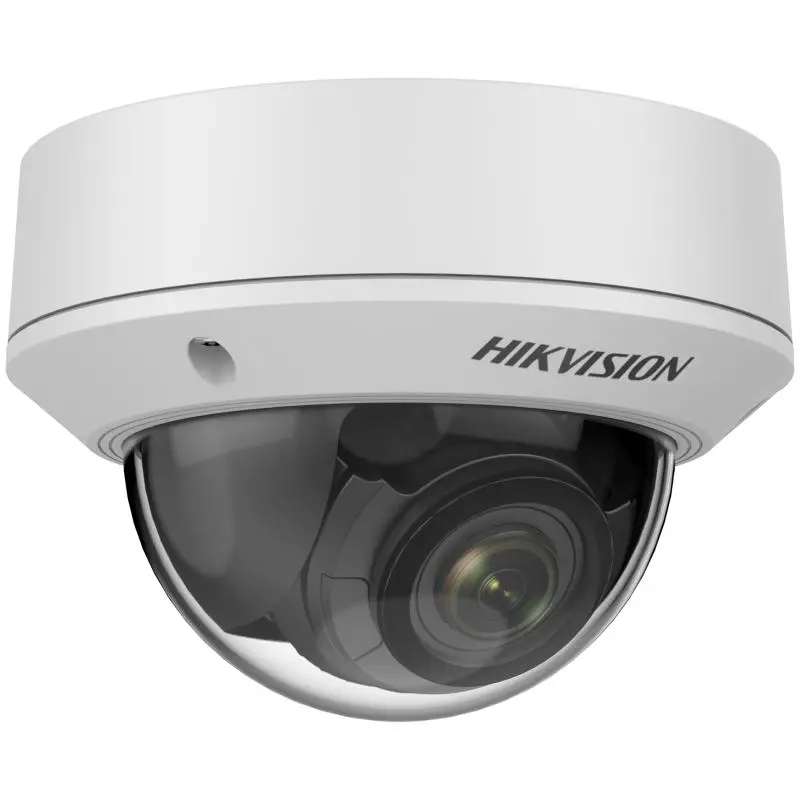
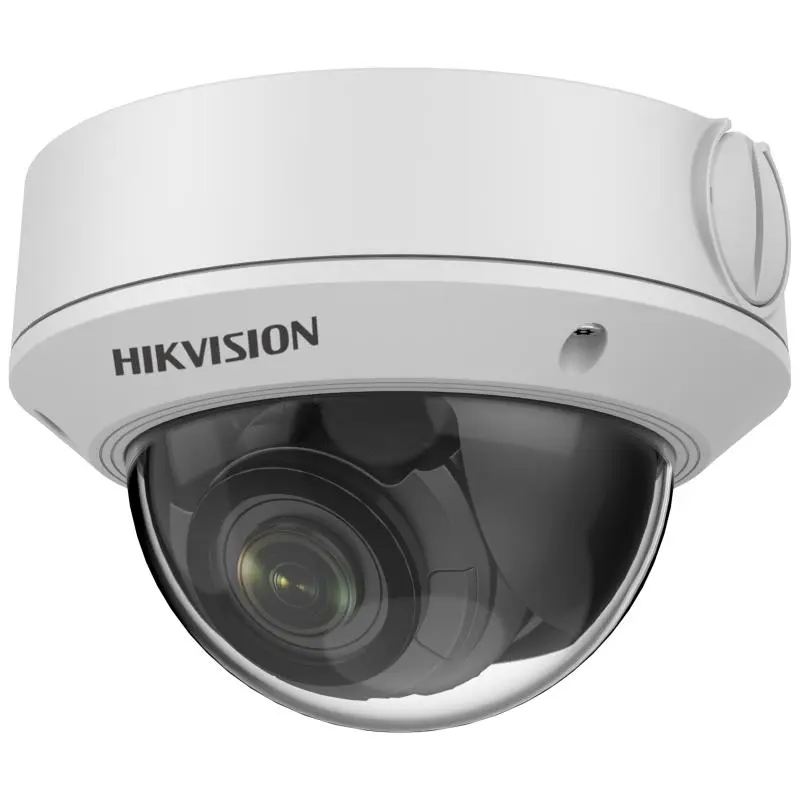
Technical Specifications – DS-2CD1743G0-I
Camera
| Image Sensor | 1/3" Progressive Scan CMOS |
|---|
| Max. Resolution | 2560 × 1440 |
|---|
| Min. Illumination | Color: 0.005 Lux @(F1.6, AGC ON), B/W: 0 Lux with IR |
|---|
| Shutter Speed | 1/3 s to 1/100,000 s |
|---|
| Wide Dynamic Range | 120 dB |
|---|
| Day & Night | IR Cut Filter |
|---|
| Angle Adjustment | Pan: 0° to 355°, tilt: 0° to 70°, rotation: 0° to 355° |
|---|
Lens
| Lens Type | Varifocal Lens, motoried lens, 2.8 to 12 mm |
|---|
| Focal Length & FOV | 2.8 to 12 mm: horizontal FOV 102° to 31°, vertical FOV 54° to 17°, diagonal FOV 123° to 35° |
|---|
| Lens Mount | Ø14 |
|---|
| Iris Type | Fixed |
|---|
| Aperture | F1.6 |
|---|
Illuminator
| IR Wavelength | 850 nm |
|---|
| IR Range | Up to 30 m |
|---|
Video
| Main Stream | 50 Hz: 20 fps (2560 × 1440) 25 fps (1920 × 1080, 1280 × 720) 60 Hz: 20 fps (2560 × 1440) 30 fps (1920 × 1080, 1280 × 720) |
|---|
| Sub-Stream | 50 Hz: 25 fps (1280 × 720, 640 × 480, 640 × 360) 60 Hz: 30 fps (1280 × 720, 640 × 480, 640 × 360) |
|---|
| Video Compression | Main stream: H.265+/H.265/H.264+/H.264 Sub-stream: H.265/H.264/MJPEG |
|---|
| Video Bit Rate | 32 Kbps to 8 Mbps |
|---|
| H.264 Type | Baseline Profile/Main Profile/High Profile |
|---|
| H.265 Type | Main Profile |
|---|
| Region Of Interest (ROI) | 1 fixed region for main stream |
|---|
Audio
| Audio Compression | -S: G.711ulaw/G.711alaw/G.722.1/G.726/MP2L2/PCM/AAC |
|---|
| Audio Bit Rate | -S: 64 Kbps (G.711)/16 Kbps (G.722.1)/16 Kbps (G.726)/32 to 160 Kbps (MP2L2)/16 to 64 Kbps (AAC) |
|---|
| Audio Sampling Rate | -S: 8 kHz/16 kHz |
|---|
| Environment Noise Filtering | -S: Yes |
|---|
Network
| Protocols | TCP/IP, ICMP, HTTP, HTTPS, FTP, DHCP, DNS, DDNS, RTP, RTSP, RTCP, NTP, UPnP™, SMTP, IGMP, 802.1X, QoS, IPv6, Bonjour, IPv4, UDP, SSL/TLS |
|---|
| Simultaneous Live View | Up to 6 channels |
|---|
| API | Open Network Video Interface, ISAPI |
|---|
| User/Host | Up to 32 users. 3 levels: administrator, operator and user |
|---|
| Network Storage | MicroSD/SDHC/SDXC card (256 GB) local storage |
|---|
| Client | iVMS-4200, Hik-Connect |
|---|
| Web Browser | Plug-in required live view: IE 10+ Plug-in free live view: Chrome 57.0+, Firefox 52.0+ Local service: Chrome 57.0+, Firefox 52.0+ |
|---|
Image
| Image Settings | Saturation, brightness, contrast, sharpness, AGC, white balance adjustable by client software or web browser |
|---|
| Day/Night Switch | Auto, Schedule, Day, Night |
|---|
| Image Enhancement | BLC, 3D DNR |
|---|
Interface
| Ethernet Interface | 1 RJ45 10 M/100 M self-adaptive Ethernet port |
|---|
| On-Board Storage | Built-in memory card slot, support microSD card, up to 256 GB |
|---|
| Audio | -S: 1 input (line in), two-core terminal block, max. input amplitude: 3.3 Vpp, input impedance: 4.7 KΩ, interface type: non-equilibrium 1 output (line out), two-core terminal block, max. output amplitude: 3.3 Vpp, output impedance: 100 Ω, interface type: non-equilibrium |
|---|
| Alarm | -S: 1 input,1 output, max. 12 VDC, 30 mA |
|---|
| Reset Key | Yes |
|---|
Event
| Basic Event | Motion detection, video tampering alarm, exception |
|---|
| Linkage | Upload to FTP, notify surveillance center, send email, upload to memory card, trigger recording, trigger capture |
|---|
General
| Power | 12 VDC ± 25%, 0.8 A, max. 10 W, Ø5.5 mm coaxial power plug PoE: 802.3af, Class 3, 36 V to 57 V, 0.32 A to 0.2 A, max. 11.5 W |
|---|
| Camera Material | Metal |
|---|
| Camera Dimension | Ø141 mm × 99.9 mm (Ø5.6" × 3.9") |
|---|
| Package Dimension | 140 mm × 140 mm × 154 mm (5.5" × 5.5" × 6.1") |
|---|
| Camera Weight | Approx. 820 g (1.8 lb.) |
|---|
| With Package Weight | Approx. 1200 g (2.6 lb.) |
|---|
| Storage Conditions | -30 °C to 60 °C (22 °F to +140 °F). Humidity 95% or less (non-condensing) |
|---|
| Startup And Operating Conditions | -30 °C to 60 °C (22 °F to +140 °F). Humidity 95% or less (non-condensing) |
|---|
| General Function | Anti-flicker, heartbeat, mirror, password protection, privacy mask, watermark, IP address filter |
|---|
Approval
| EMC | FCC SDoC (47 CFR Part 15, Subpart B); CE-EMC (EN 55032: 2015, EN 61000-3-2: 2014, EN 61000-3-3: 2013, EN 50130-4: 2011 +A1: 2014); RCM (AS/NZS CISPR 32: 2015); IC VoC (ICES-003: Issue 6, 2016); KC (KN 32: 2015, KN 35: 2015) |
|---|
| Safety | UL (UL 60950-1); CB (IEC 60950-1:2005 + Am 1:2009 + Am 2:2013, IEC 62368-1:2014); CE-LVD (EN 60950-1:2005 + Am 1:2009 + Am 2:2013, IEC 62368-1:2014); BIS (IS 13252(Part 1):2010+A1:2013+A2:2015) |
|---|
| Environment | CE-RoHS (2011/65/EU); WEEE (2012/19/EU); Reach (Regulation (EC) No 1907/2006) |
|---|
| Electrical Safety Protection | IP67 (IEC 60529-2013), IK10 (IEC 62262:2002) |
|---|
Source: Hikvision official website. Specifications are subject to change by the manufacturer.
![[DS-2CD1743G0-I] HIKVISION 4MP Bullet Network EXIR Camera, motorized](/web/image/product.image/219/image_1024/%5BDS-2CD1743G0-I%5D%20HIKVISION%204MP%20Bullet%20Network%20EXIR%20Camera%2C%20motorized%20?unique=5d48460)
![[DS-2CD1743G0-I] HIKVISION 4MP Bullet Network EXIR Camera, motorized](/web/image/product.image/219/image_128/%5BDS-2CD1743G0-I%5D%20HIKVISION%204MP%20Bullet%20Network%20EXIR%20Camera%2C%20motorized%20?unique=5d48460)